Importing leads is very straightforward. When you import leads using a CSV file, they get added into a "lead list" with a name you choose during the process. You can then import those lists into campaigns.

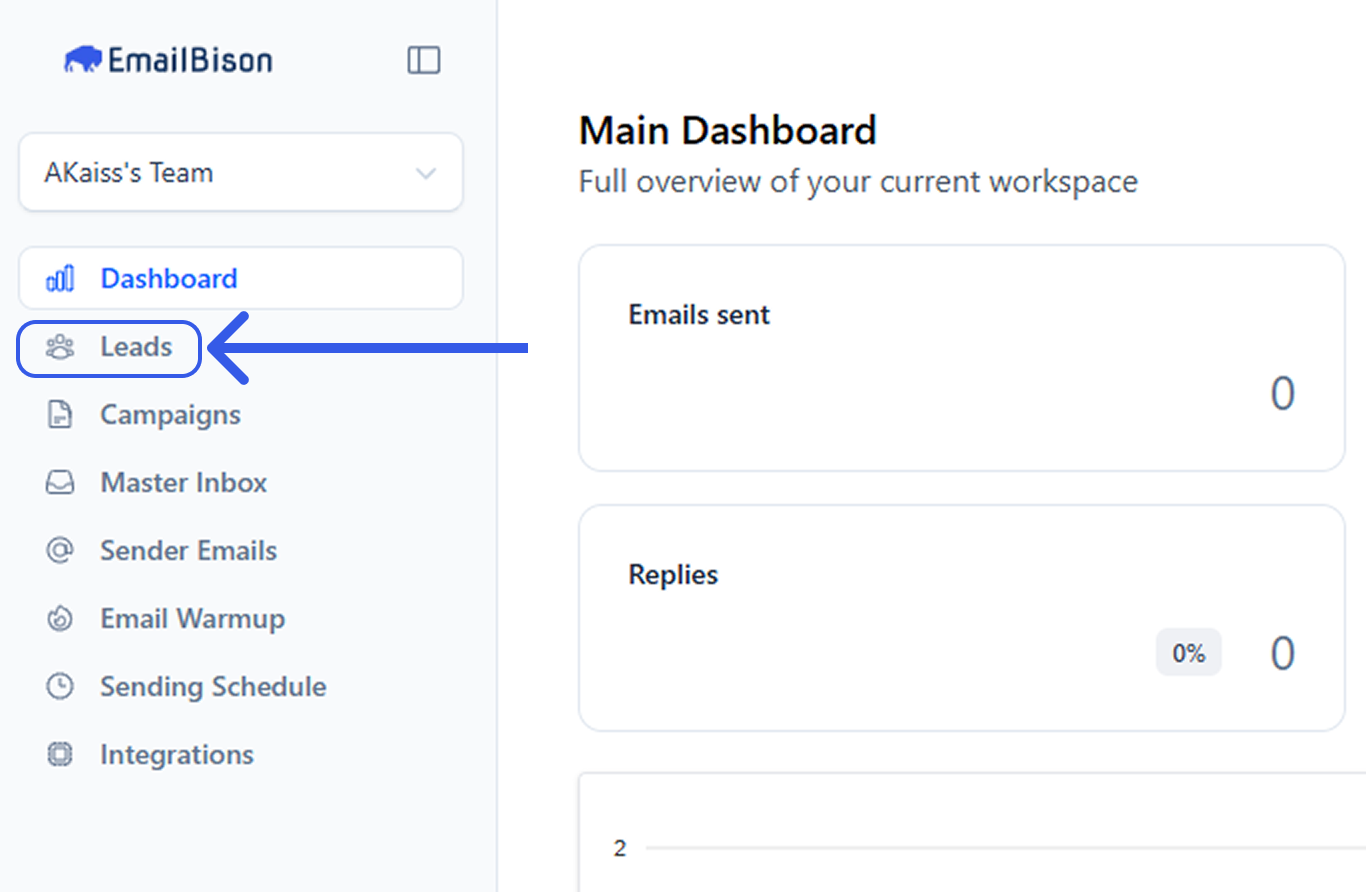
Go to the leads page by clicking “Leads” on the sidebar
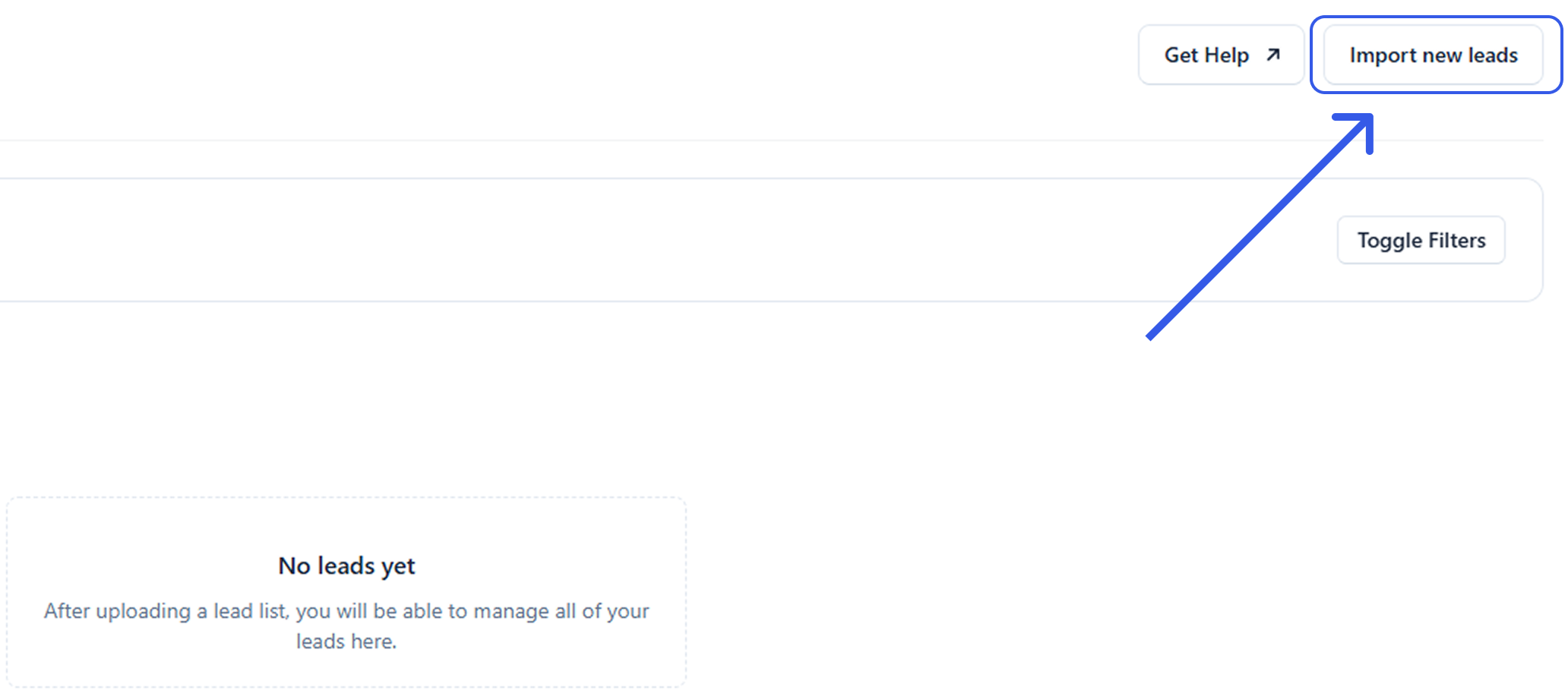
Click on the “Import new leads” button, located at the top right of the page.
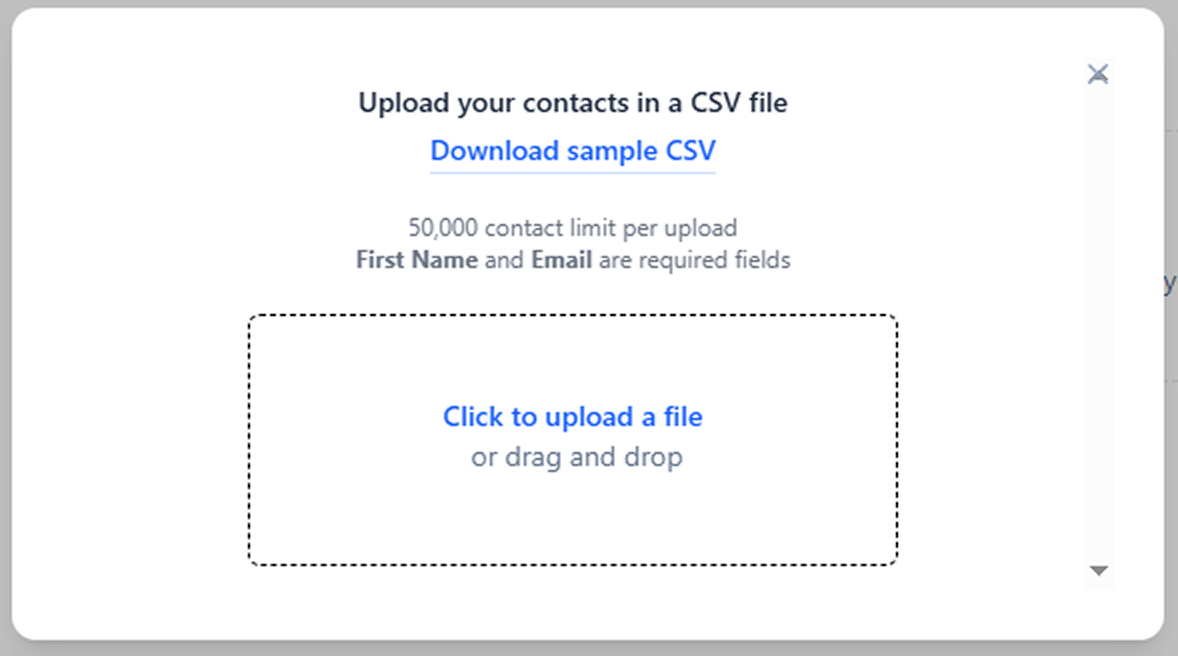
Attach a CSV file with the leads you wish to add. You may download the sample CSV file to view the acceptable format
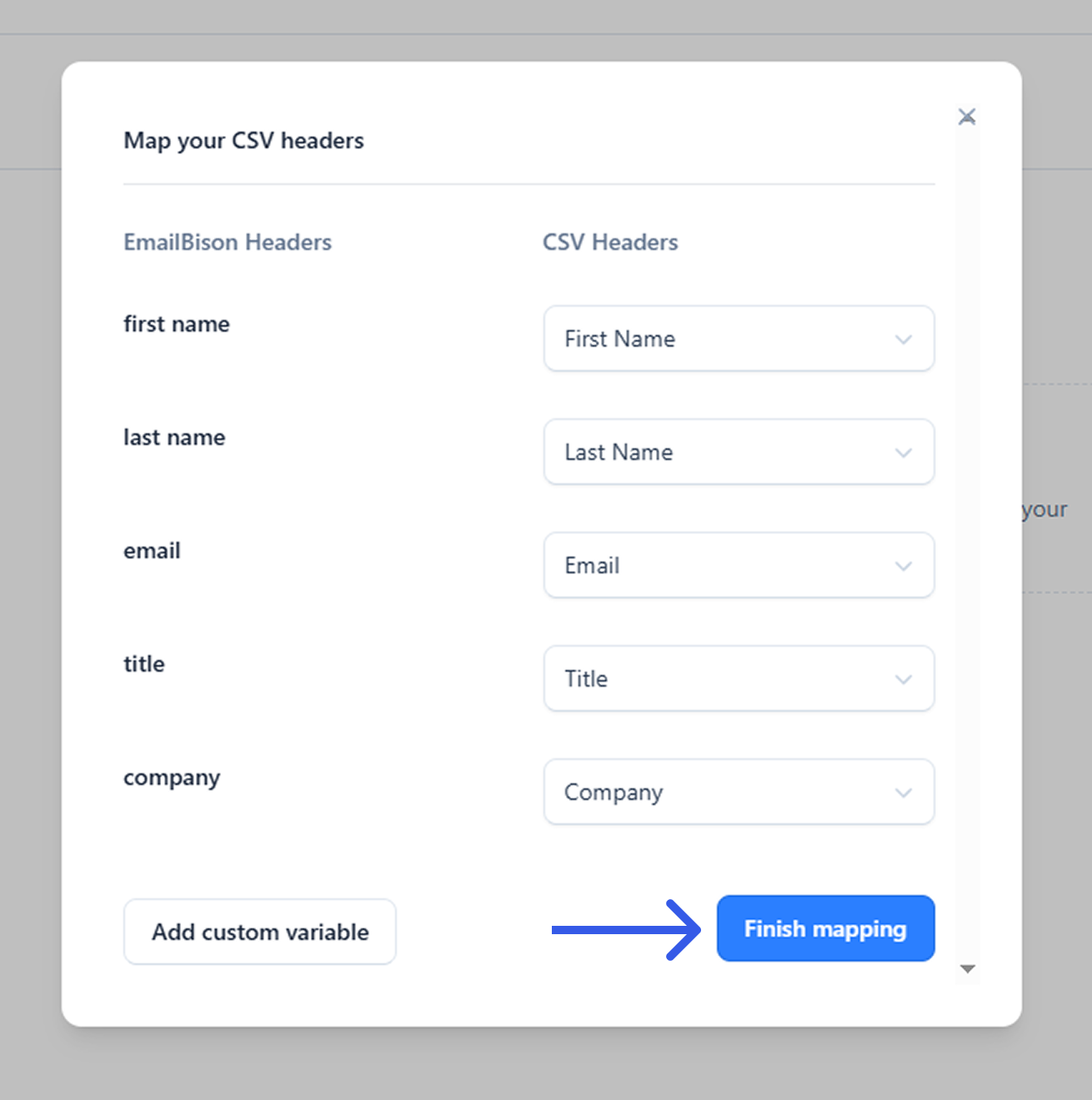
Map your CSV headers. You may also add custom variables and map them to your CSV headers. Once finished click the “Finish mapping” button.
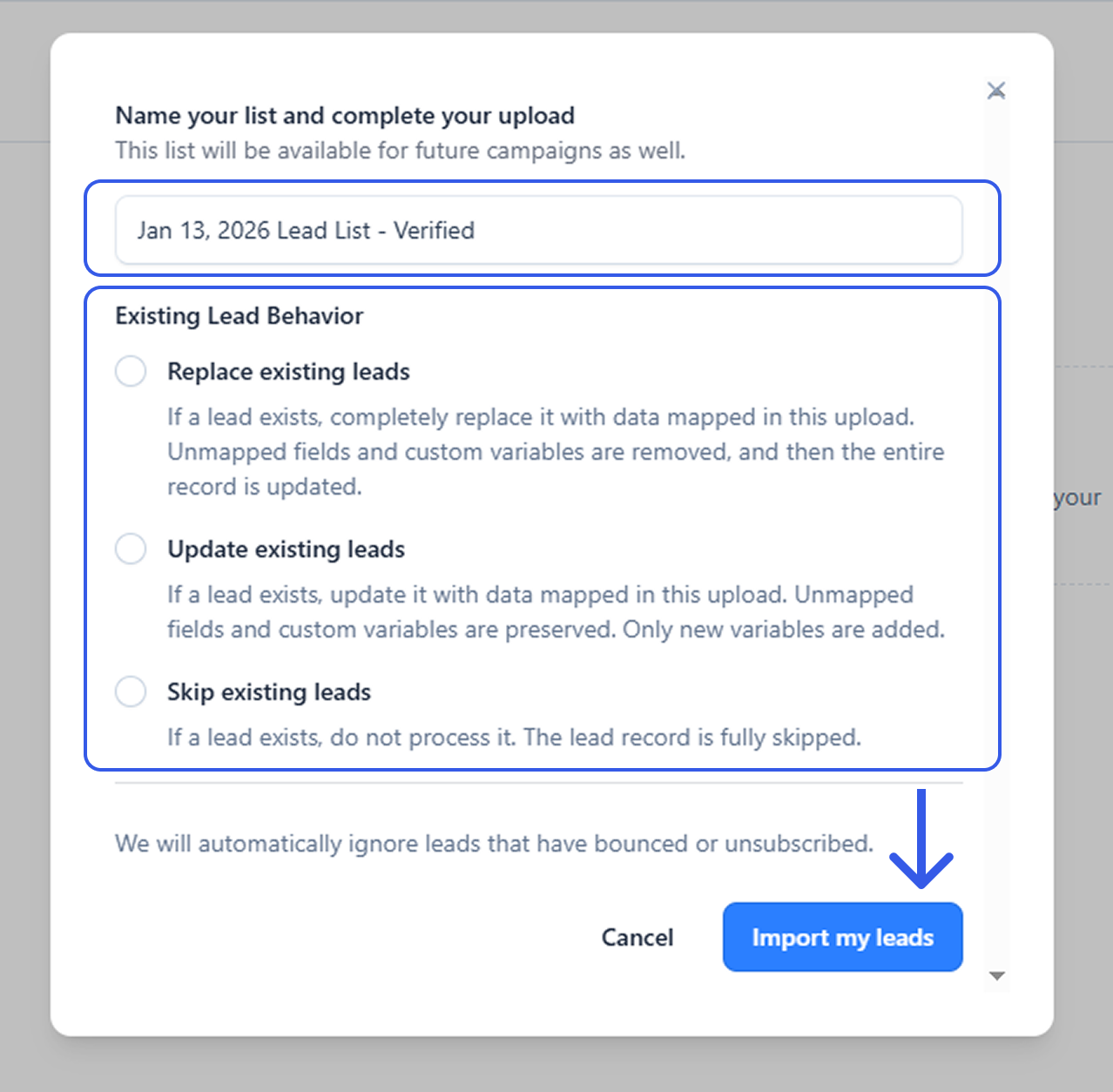
You will need to name your lead list. You will also need to select an option to handle Existing Lead Behavior.
You have successfully uploaded leads into your EmailBison workspace.
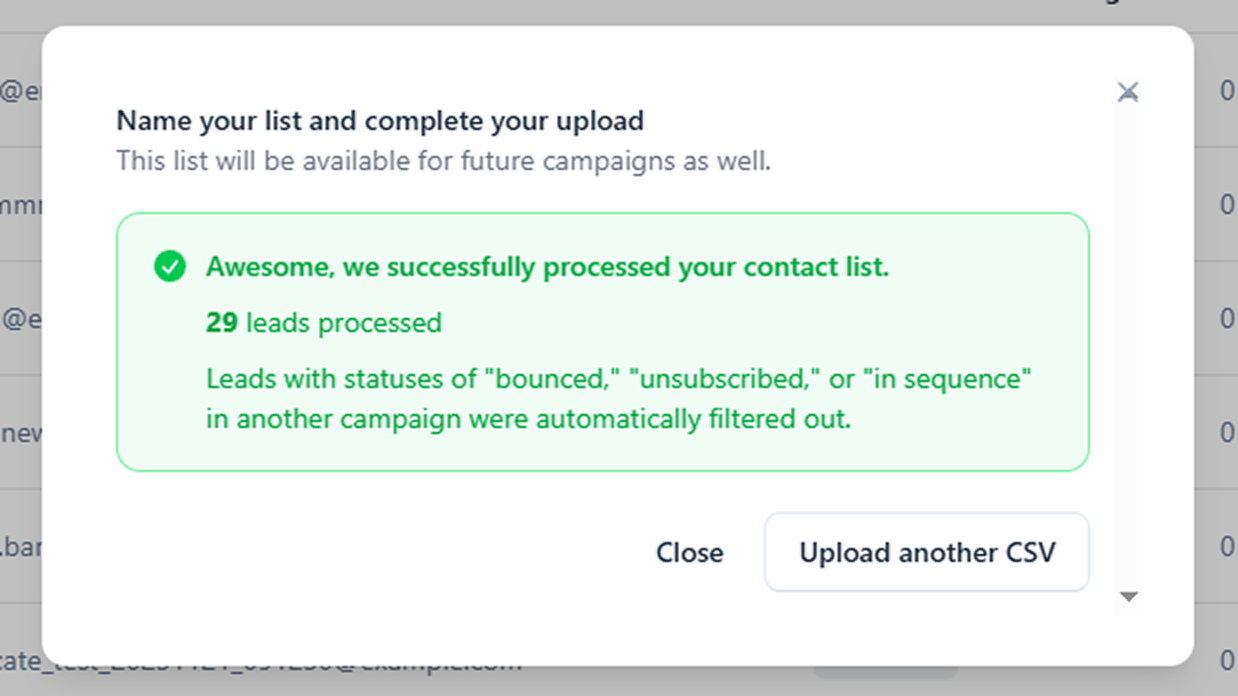
Optional: If you wish to upload an additional lead list, you can click the “Upload another CSV” button.
