The January release includes a new campaign setting, better master inbox filters, and general fixes and improvements.
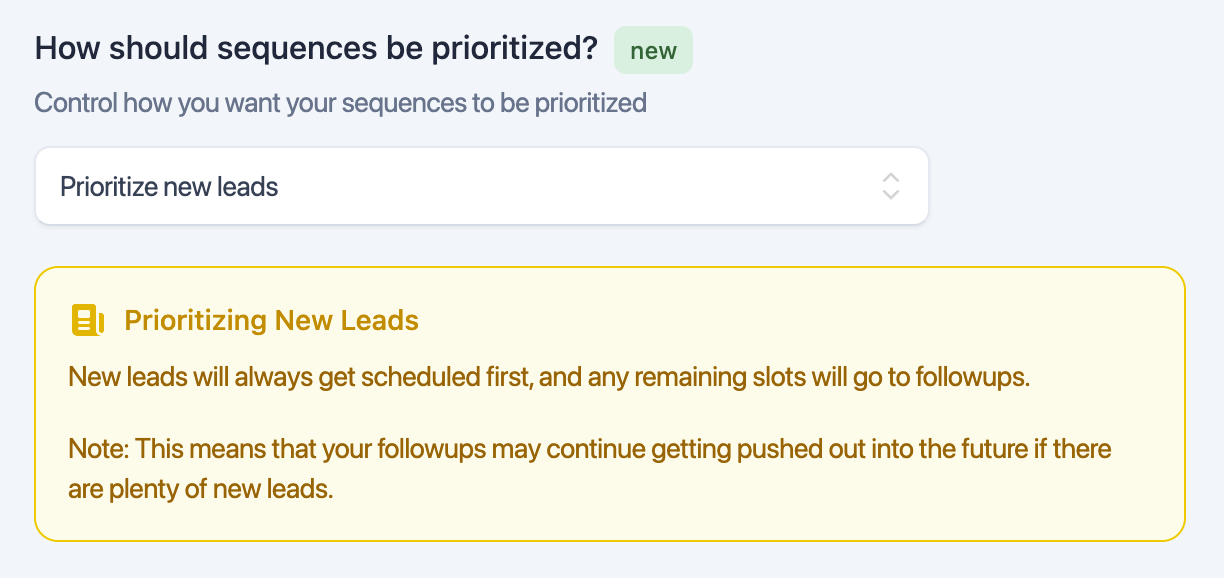
This is a much requested feature. You can now change lead prioritization per campaign.
Previously, EmailBison would prioritize sequence completions.
Prioritizing new leads means your campaign will use all available slots to start new sequences when possible.
This filter would previously show threads that have any read / unread replies in them. This was unintuitive from a user perspective.
This filter’s behaviour has been changed so that it now only cares about the latest message in the thread.
[Create new reply, Forward reply endpoints]: Validation will now fail if attachments are passed and use_dedicated_ips is passed as true.
Attachments are not supported with this parameter, and previously the request would go through and return a 500 response.
[Update campaign settings]: The upper limit validation for max_emails_per_day and max_new_leads_per_day has been increased to 50,000. This is to match the upper limit in the UI.
[Create or update multiple leads]: If massive lead objects were passed in, there was a chance some of the leads would not get tagged with their ESP. This has been fixed.
[Import leads to campaign]: If a campaign was completed, and leads were added using this endpoint, it would be paused and not resumed. Calls to this endpoint now also resume the completed campaign.
There have been reports of scrolling issues on some devices. The team narrowed it down to the tooltips, and the issue has been fixed in both the campaigns page and the sender emails page.
There have been reports of leads and sender emails not being deleted. Patches have been applied to the deletion process to fix these issues.
