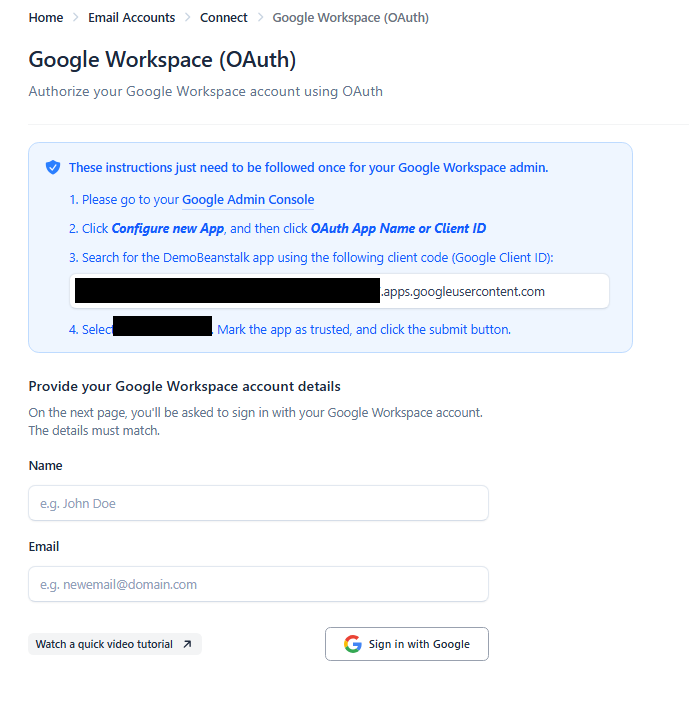
To find your Client ID, simply follow these steps:
1. Click on the “Sender Emails” tab on the left sidebar
2. Click on the “Connect Emails” button that has appeared on the top right of your screen
3. Click on the “Google Workspace” button.
4. Now simply copy the highlighted white text inside of step in the blue bubble!