Updating a leads information is very straightforward.
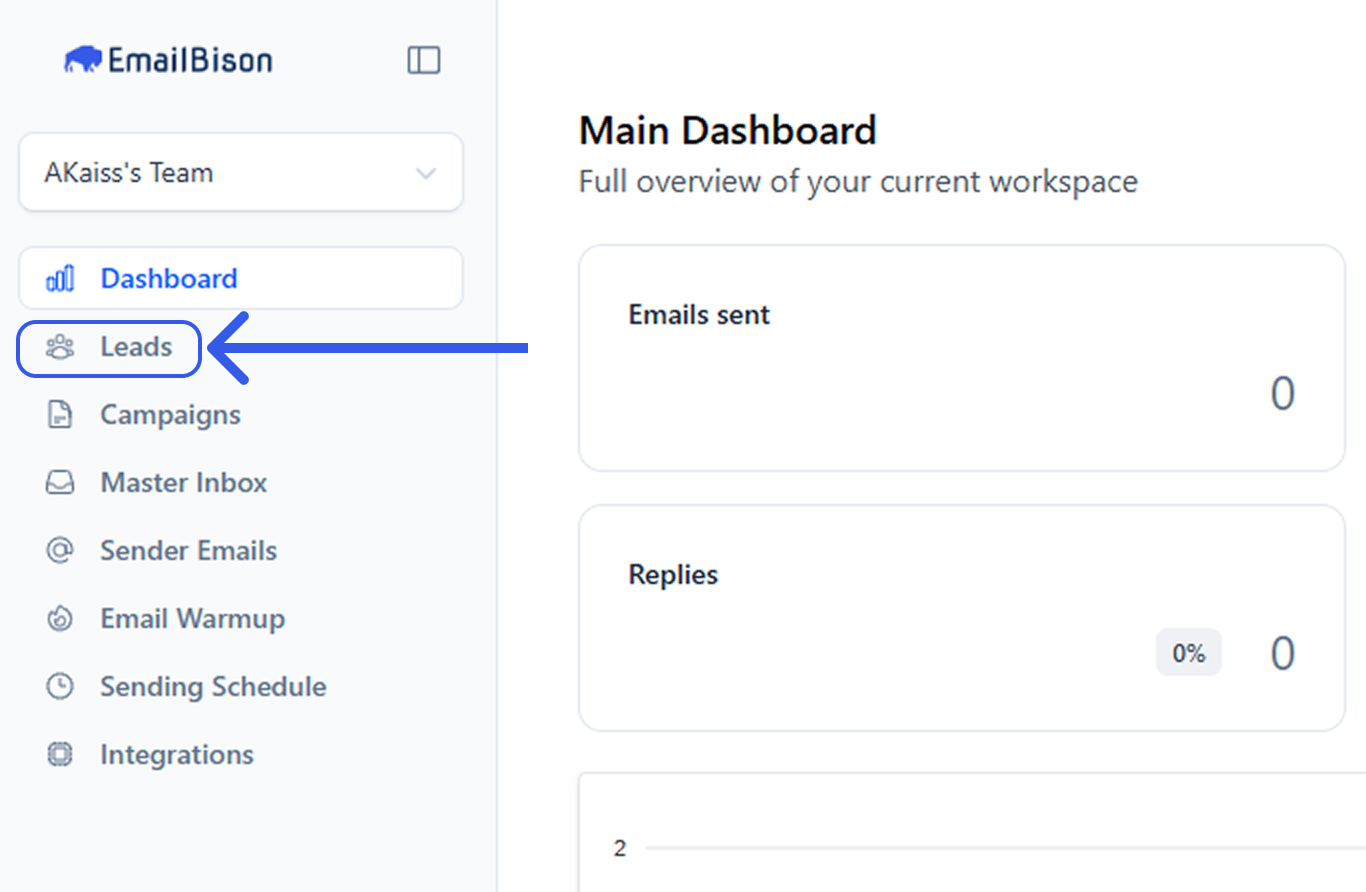
Select the leads page on the left sidebar.
Locate the lead you want to update, either by scrolling or utilize the Filters and Search panel to filter for or search the specific lead you want to update.

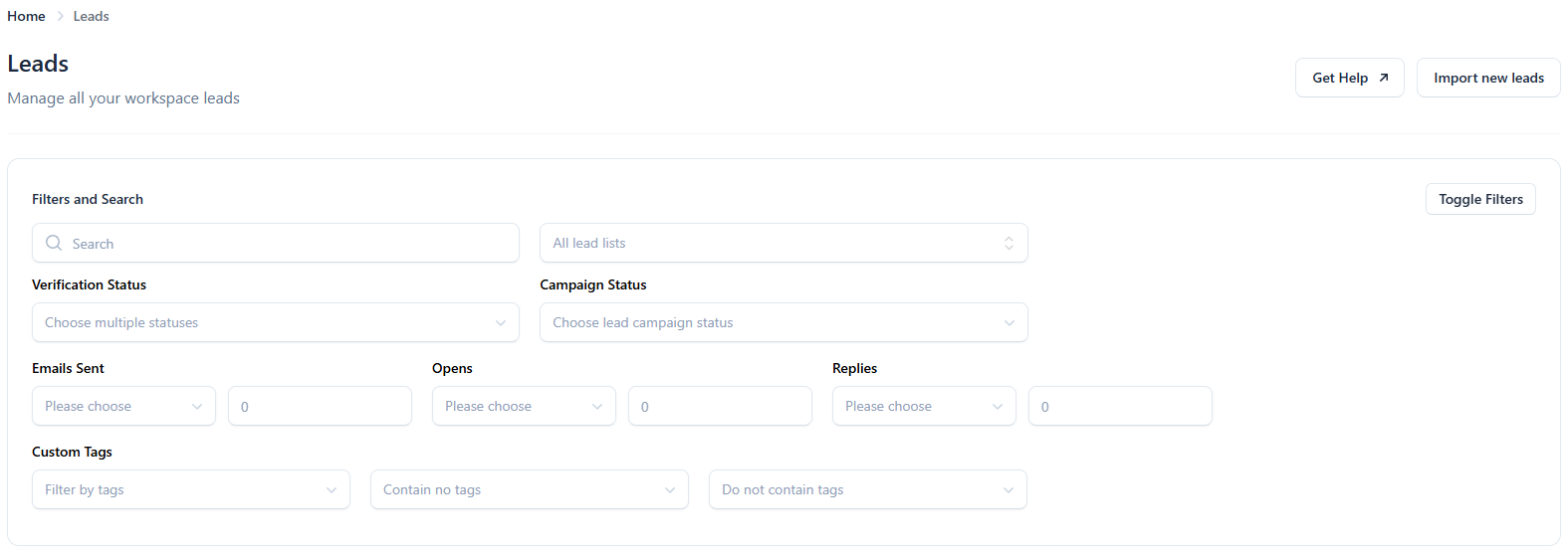

Use the general search bar at the top of the panel to quickly find lead by name, email, or keyword. If you can’t find what you are looking for try using quotations around your search, e.g. “lead@company.com”.
Once you have located the lead, click the "Manage” button.

You will then be taken to an information tab where you are able to view all the lead details.
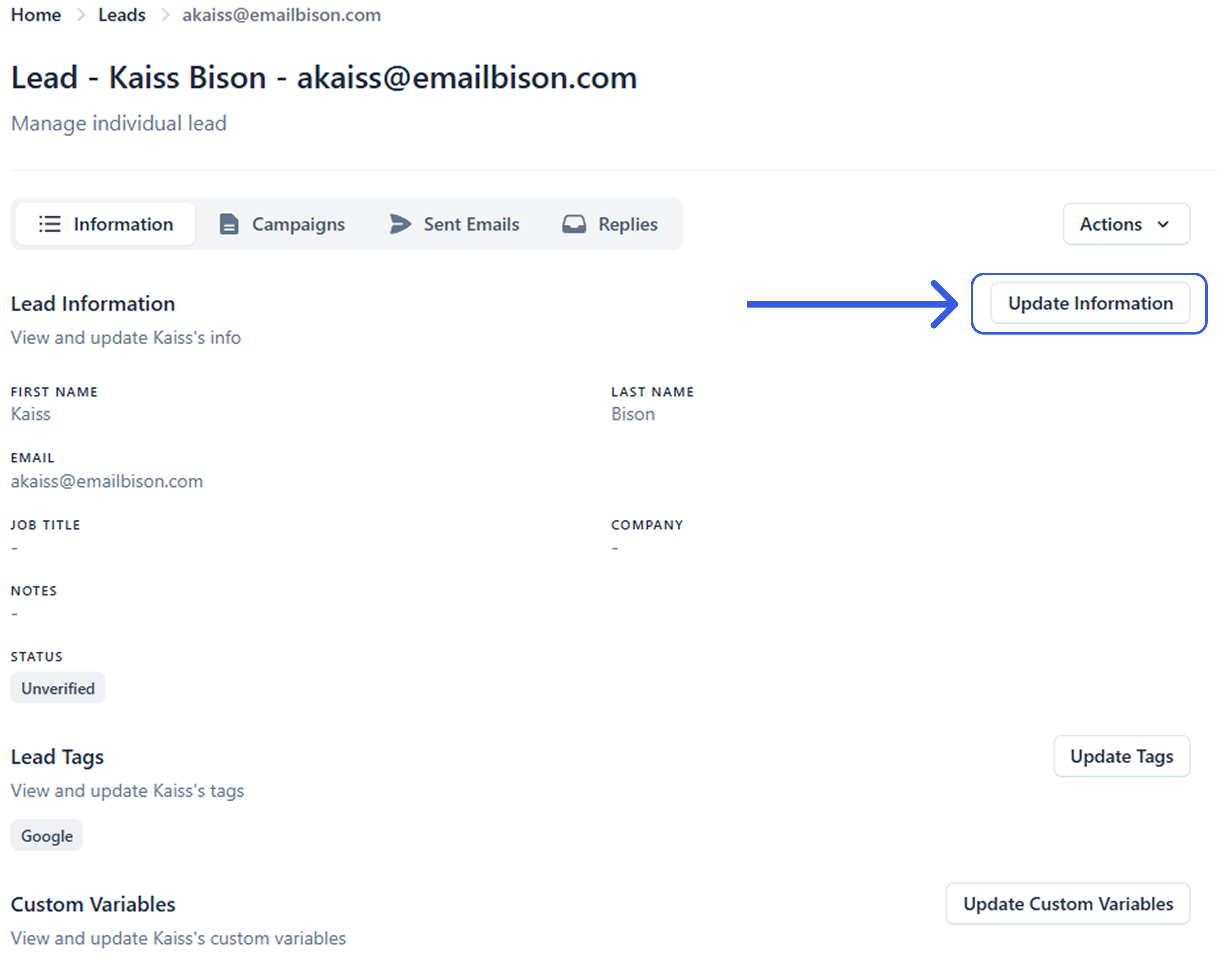
When you click on the “Update Information” button, a sidebar will appear where you will be able to update a few things. Lead information such as First and Last Name, Email, Job Title, Company, Notes, and Status.
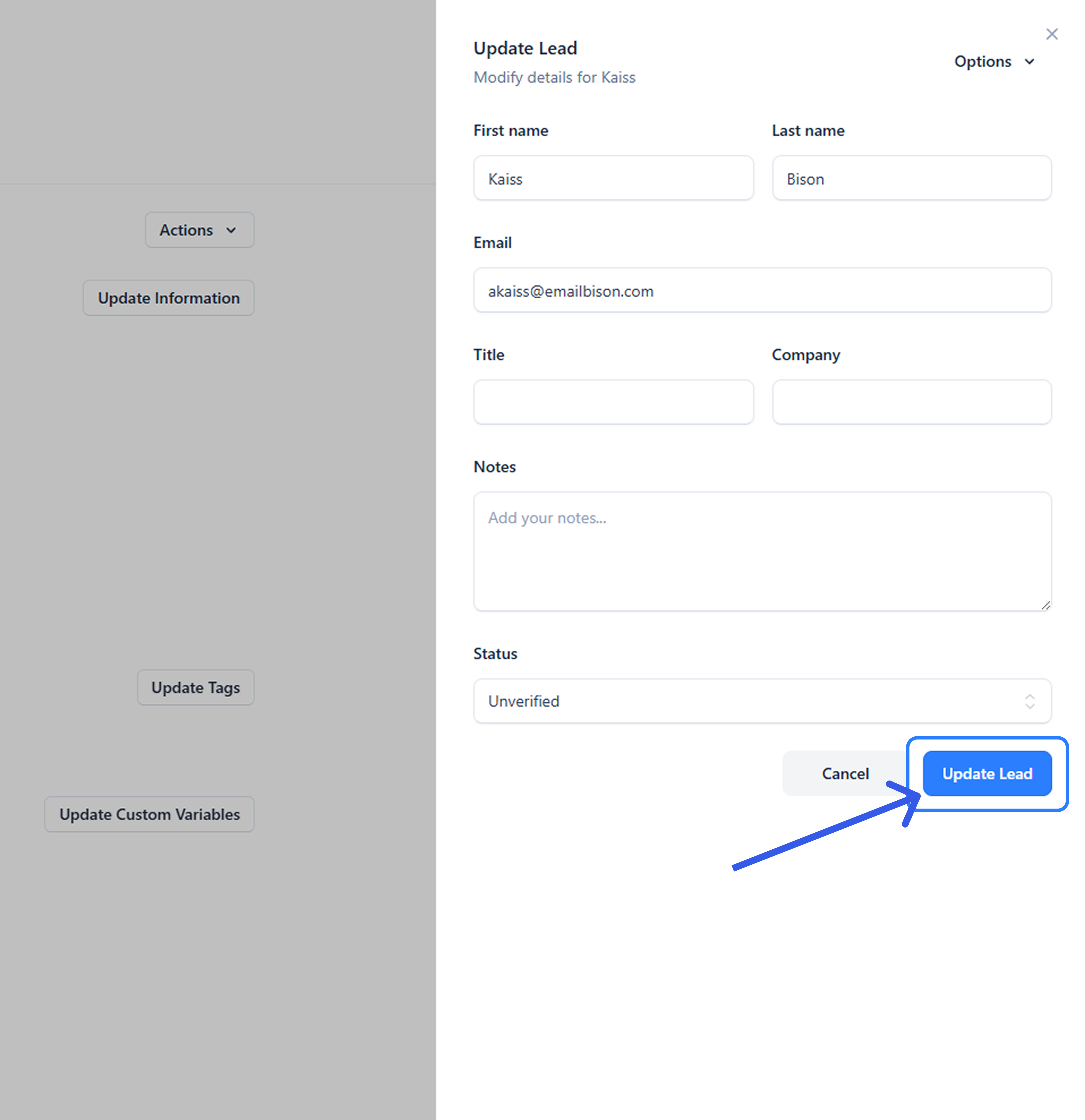
After you have made your changes, click the “Update Lead” button to save your changes.
