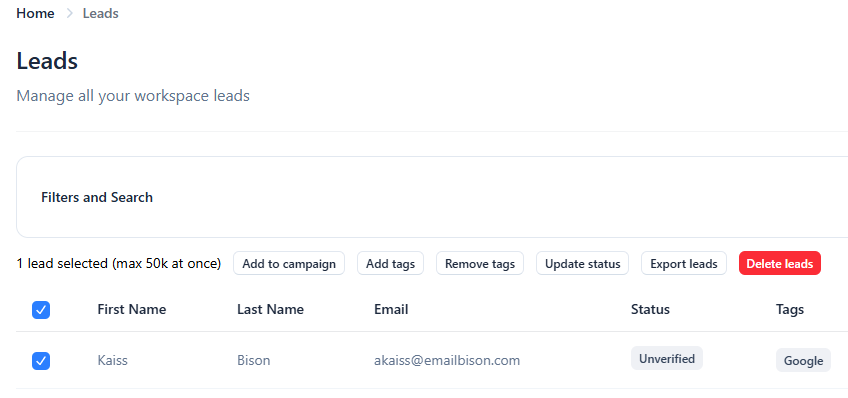
Yes, you can easily manage your leads in bulk using filters inside the Leads tab, or for the leads within a certain campaign.
This makes it simple to organize large lists, apply tags, or move leads into campaigns without doing everything one by one.
Available Bulk Actions
Once you’ve filtered or selected the leads you want to manage, you can apply any of the following actions:
Add to campaign
Add tags
Remove tags
Update status
Export leads
Delete leads
To get started, select the checkboxes next to the leads you want to manage, or select the checkbox beside the column names to select all leads (up to 50,000 at a time), then choose the bulk action you need from the actions that appear.